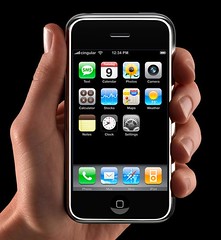
Showing posts with label iPhone. Show all posts

Tuesday, February 28, 2012

GSMA 2012 Global Mobile Awards Announced - Congratulations to OnPoint Digital!


The GSMA Global Mobile Awards were announced this week. I'd like to congratulate Robert Gadd and the OnPoint Digital team for their award.


Best Mobile Innovation for Education or Learning


You can read more from one of the judges, Judy Brown, at her blog mLearnopedia.
See the full list of winners at the Mobile World Congress site HERE
Be sure to visit OnPoint at mLearnCon this June and see their winning solution for yourself.

Monday, August 22, 2011

Augmented Reality - Using Junaio in the British Museum

The Junaio blog posted this today... Learning with Junaio, Samsung and British Museum.


The first thing that struck me was that Museums seem to be perfect for this technology. The next thing that hit me was why this hasn't been created for the Freedom Trail in Boston. Can someone PLEASE get that project done. Its BEGGING for augmented reality with Junaio.


Okay, so I got that off my chest...


In all seriousness, I'm a fan of augmented reality and I see the possibilities. BUT it also still feels like the shiny new gadget syndrome is fresh with this app. Unless the experience is something more spectacular than words, and pictures in a layer on the image of what the camera is displaying, I don't give it much hope of surviving.


I want to see video layered on top of whatever it is that I'm pointing the camera at. Let's say I'm looking at a history building. I want to be taken back in time and see a video of a reenactment of that scene. Even if its just a few people walking by the building in historical garments or what have you. Its all about creating a new sense of context for the viewer. If its just "additional information", I'm certain a mobile web app would work just fine. Or, for that matter, a old school paper-based brochure would be lovely.


But even beyond the augmenting of reality I'm anxious to see learning design incorporated into the technology. I'm not sure that just adding more information using this technology qualifies as something more than performance support. And that's okay. But I'm anxious to see instruction tied into it.


Wednesday, May 18, 2011

The eLearning Guild releases Mobile Learning Report in time for mLearnCon

mobile2011report-f2.pdf (page 1 of 36).jpg The eLearning Guild announced the release of this years research report on mobile learning titled, Mobile Learning: Landscape and Trends.

Paid Guild members can download the report HERE.

Dr. Clark Quinn has done an excellent job of distilling the most important information about mobile learning into a readable research report. The Guild's survey of its members regarding mobile device usage has some great data points to consider.

For example: The number one stated barrier to implementing mLearning is that its "Hard to integrate with our enterprise tools". Security issues and a Lack of Standards also topped the list of barriers.

Its also interesting to see that the percentage of organizations planning to "Do More mLearning" has increased from 38.5% in 2007 to 51% in 2011. That may not seem like much, but I expect the number to grow significantly over the next 4+ years.

So, get the report and read it for yourself. Then you'll be more than prepared to engage the thought leadership represented at mLearnCon this June. Plan your mobile learning strategy at the event and chat with Dr. Quinn to get his advice on your plans. You can also follow him on twitter @quinnovator


Thursday, March 17, 2011

Prepping for Learning Solutions 2011 - Step 1: Download App


iTunes App Link
For all instructions, video, and downloads go to this link. The Learning Solutions 2011 app is powered by ATIV software's Event Plus. Maneuvering the hectic world of conferences and expos has NEVER been easier. Functions include:
  • Access up-to-the minute session and event updates in the dynamic Now tab
  • Plan your day and build your own personalized schedule (for native apps)
  • Browse or search the interactive Program, Speaker and Expo guides
  • Find your way easily using Maps with an animated location pin
  • Stay organized by creating custom notes and thumbs up ratings
  • Easily share contact info with other attendees using Bump or QR codes
  • Follow the #ls2011 discussions with the integrated Twitter feed
  • View and share slides (for native apps)
  • Save time after the event and email all event notes in a comprehensive report
If you ever needed a reason to upgrade to a smart phone, this is it! So, if you're headed to Orlando next week and you have an iPhone, or iPad, or Blackberry, or Android device, your job one is installing this app.
Let me know what you think? What would you like to see the app do next year? Your suggestions are more than appreciated.

Friday, March 12, 2010

My iPhone Apps for Learning Solution 2010 -

Do you have an iPhone/iTouch?  

Are you going to Learning Solutions 2010 in Orlando this month?  

Then its time to start thinking about how you are going to be the most productive at the event.  And that means getting your Apps in order.
Mashable has a recent post titled 12 iPhone Apps for Surviving Conference Season -  - Its a good list but I just don’t use most of those apps.  So, I’ve organized page 1 of my iPhone with the apps I think will be my goto apps.  I’m not showing it here but page 2 will contain important apps but they just won’t be needed as much during the event.
Messages
This is a no-brainer.  Text messages are critical for connecting with others these days.  I probably text more than I actually talk.  But its not only good for connecting with people.  I mostly use SMS as my primary notification system for other applications.  I get a text every time someone sends me a DM (Direct Message) via twitter.  reQall sends me text message reminders to be at meetings, pick up the kids, buy milk, and just about every other little todo that needs to be tadone.  And let’s not forget MMS via the Message App.  This means images can be sent using the same texting system.  SMS is simply a fantastic technology you should be utilizing fully.
Calendar
My iPhone Calendar App is sync’d to many calendars.  I have a main calendar for Work, and one for Home.  I also subscribe to handy calendars like US Holidays, and favorite sports team calendars.  reQall also connects to my calendar.  Its truly awesome.  I just say, “Remember DevLearn meeting at 5pm today”.  Not only does it transcribe my voice into text it also adds it to my calendar and sends me a text reminder.  I can’t live without my calendar.
Maps
When I’m traveling to events in cities that I’m not otherwise at, I need help getting around.  Maps just works for me.  Sure there are alternatives, but I just need to know how to get from where I am to where I need to be.  Perfect.
Bento [iTunes Link]
This could certainly be a blog post all to itself.  I’ve found that Bento has replaced at least 10 apps that actually paid for.  Its the perfect little database that can be whatever I want it to be.  A contact list, a party planner, a todo list, a conference session scheduler, a timetracker, a general data organizer.  Basically, its like having an app that lets you make your own apps to serve a specific need that is unique to me.  

Evernote [iTunes Link] and reQall [iTunes Link]
These apps are synched very nicely together.  Any words that I use in a reQall note are searched for in Evernote making those evernotes part of the reQall item.  Very cool!  Evernote is awesome in the same sense as Bento.  Its the swiss army knife for collecting all your digital stuff and storing it in the cloud.  It also works like notebook...actually like a super-duper notebook.  I use Evernote to take notes during conference sessions.
Dragon Dictate [iTunes Link]
This one is new for me.  I didn’t think it would translate well enough for it to be useful, but I was very wrong.  Not only does it translate near perfectly, its damn fast at doing it.  This opens up a whole new set of possibilities.  I’ll try putting it to work at LearningSolutions and see what happens.
BC Reader [iTunes Link]
This one is interesting because Evernote translates text.  And I’ve heard if take a snap shot of a biz card and send it to evernote that evernote can search the text in the image.  That’s pretty cool, but I’ve found that I need all my contacts in my Contacts app.  This little app not only reads the text in the image, it creates the text, and it puts the data into the Contact app IN THE RIGHT FIELDS no less!  That’s worth it right there.  So don’t be surprised if you hand me your card, and I just take a picture of it.
Tweetie [iTunes Link]
This is my twitter app of choice.  I also have Tweetdeck on page 2 but I’ve gotten used to Tweetie so its the goto twitter app sitting on page 1.
USTREAM Broadcaster [iTunes Link]
The ultimate live broadcasting system.  Point the iPhone camera at the action and let others watch from home.  I use this at my kids sporting events for the parents that aren’t there.  It’s still like magic to most people and so its fun to see/hear their reaction...”You can DO THAT???”
LS2010 [iTunes Link]
You will start to see a lot of custom apps made specifically to support events.  The eLearning Guild was lucky enough to find the most talented iPhone development team around.  ATIV Software. They were able to put together an amazing app with a VERY short timeline. I’m extremely impressed with them and the tool they’ve created for LS2010 attendees.  The last few conferences I’ve been too I used Bento to create my own.  I’m so happy to be saying bye-bye to paper programs.
Google
Um...yea...enough said.
Box.net [iTunes Link]
This is a great cloud solution.  All my giant Keynote files and PDFs get put in the Box.  I can send links so others can access and I can access the files anywhere as long as I have a connection.  Beautiful solution.  After seeing a great presentation, if the presenter makes her slides available then I’ll just download and then send ‘em up to the Box.  Yea, its that easy.
TripIt [iTunes Link]
I like that I can send my confirmation email to my tripit acount and TripIt transcribes the email into My Trips.  I don’t pay for the premium plan because I just don’t travel that much.  But people I know that do travel more than me LOVE the premium features.  I’m very choosy about the apps I will pay a monthly fee for.  reQall is a daily use tool and well worth paying for premium. TripIt would end up being a 6 times a year thing...just not enough for me.  The basic free version rocks as it is.
Gowalla [iTunes Link]
Yea, I know its freaky that people know where I am.  But location based apps are very intriguing.  Foursquare is on page 2.  And I have an entire page devoted to nothing but location-based, and GPS, apps.  Gowalla also sends me updates via txt.  I see where my friends are and they see me.  I can also cross-post to twitter, and Facebook, but rarely do.
Quickmark [iTunes Link]
QR Codes are still interesting to me even though they haven’t really caught on.  Events are great places to put QR codes to use, so I want to make sure I have quick access to my QR decoder.
Well, that’s page one of my iPhone for Learning Solutions 2010.  Don’t be surprised if it changes a bit between now and the event.  For now, that’s what I’m going with.  
What are you packin’?  What’s on your page 1?  Am I missing something obvious?


Learning Solutions Conference and Expo - March - Orlando, FL
mLearnCon - Mobile Learning Conference and Expo- June - San Diego, CA
DevLearn 2010 Conference and Expo - November - San Francisco, CA

Thursday, March 06, 2008

iPhone Enterprise and SDK is here!!! Let the learning apps begin!!!

Today Steve Jobs presented the iPhone roadmap. I'm "delayed" blogging, instead of live blogging. That means I'm blogging while I watch the video.

iPhone moves into the Enterprise. SWEET!!! Watch out blackberry ;-)

iPhone SDK - iPhone Core OS, and iPhone Core Services (exposed API), Media layer (Core Audio, OpenAL, and more)
Embedded version of OpenGL...bla, bla, bla...Xcode is the development environment...bla, bla, bla...INTERFACE builder, SWEET! Interface Builder also has localation built in.

Basically, they've exposed everything you need to create some KILLER apps including games, and of course serious games.

So with all of these exposed APIs and code base, you will be able to not only deliver training, but you can deliver interactive...no...HIGHLY interactive training courses/content that are dynamically connected to your enterprise LMS for tracking.

Well, here we go. Now the iPhone is more than just a toy. Do you really need any other reasons to buy an iPhone? I'd love to hear if any of the eLearning tool developers are testing the SDK. Comment here or contact offline.

Wednesday, September 05, 2007

Apple lays out the future of mobile learning


Wow! Look at how beautiful that is! The price drops by $200 on the iPhone and the iPod Touch is a thing of beauty. So you don't want to switch to AT&T but still want the killer mobile web and beautiful touch screen? Well, your in luck. The Touch is just the device for you.

Can I here anyone say "Ultimate mobile learning device"? I had heard of schools testing iPhones with wi-fi only (they disable the phone service but utilize the wi-fi with the on-campus wireless network). Maybe we don't give every kid a laptop. Maybe we give them each a Touch...without the impending molestation charges of course.
Early reports of iPhone distribution in bulk were stifled by cost for many organizations, but maybe the new Touch and lower costs are just the thing to blow this whole mobile learning thing wide open.

I think other device makers must be simply ashamed and embarassed at this point. Palm killed its Foleo device yesterday. According to engadget
"Palm needs to focus on one thing right now, and that's coming out with a category-killing smartphone".

Gee...ya think!? But who the heck even WANTS a smartphone anymore when you can have an iPhone or a Touch? I mean really, people! Aren't you just a little embarassed when you have too pull out that dinosaur Treo or Blackberry in front of your iphone toting colleagues? Your geek cred is on the line.

If you read The eLearning Guild's 360 report on Mobile Learning then you know my thoughts on the iPhone as a Mobile Learning Device. It rocks! But it's not the first gen that will make mobile learning happen. It's THIS gen! More on why later.

Put the Touch on your Christmas wish list! This is good stuff!

Saturday, August 18, 2007

Mobile Learning - iPhone - Perhaps I was wrong?

Judy Brown of mLearnopedia sent this to me over the weekend.

International Academy of Design and Technology - Online


I'm shocked and very impressed that they were able to get the iPhone version of their online school web site online so quickly. Perhaps its because, compared to earlier versions of the "mobile web", you don't really need to tweek too much to get your site to work in Safari on the iPhone.


I wasn't sure that Instructional Designers and Educational businesses were ready or prepared for the iPhone. I still think most aren't, but its nice to see one moving so quickly to test the waters.

Nice jobe IADT.com!!! Anyone from IADT want to contact me to be on a podcast?

Judy authored part of the 360 Report on Mobile Learning available now from The eLearning Guild.

Learn More!
WEBINAR
August 29th
8:30am or 11:30pm
Pacific Time

Wednesday, July 04, 2007

eLearning Development Guide for iPhone


Apple posted an iPhone content development page.


Powered by TalkShoe

about the eLearning for the iPhone and how it will influence mobile learning.

The Corporate eLearning Weekly Podcast will be talking about the iphone on Friday.
Time: 07/06/07 12:00 PM EDT
Phone Number: (724) 444-7444
Talkcast ID: 8702

You can simply call in, but its much more fun to join the TalkCast and that requires a short download and setup so give yourself plenty of time to get setup.

Friday, June 29, 2007

iPhone is so close I can almost feel it...

While sitting here in 110 degree heat, my Treo dies. This has happened every summer that I've had the stupid thing. So, its time for a new phone.
I'm at an AT&T store instead of the Apple store: 200 people vs. 20...both in the direct sunlight.

The mLearning race is certainly going to heat up. I'm VERY excited to see what some of the academic and government institutions do with it. Can't wait to hear from Judy Brown of mlearnopedia.

So, I'm hot, sweaty and tired. But in an hour I have an iPhone in my hot little hands. Oh yea, and it looks like everyone stopping by the store tomorrow will too. Oh well, I met a lot of nice people
Stay Tuned...

Friday, January 12, 2007

iPhone Impacts Mobile eLearning

I tried getting a post up about the iPhone on the day of the keynote but since I have switched to the NEW version of blogger all of my typical posting apps have been messed up. So, I've discovered my new work-arounds and now I'm able to post again. I was hoping the new version of blogger would convince me to NOT switch to Wordpress, but its not looking good for blogger.

Anyways! The iPhone! Its beautiful! I love it! Mark Oehlert and I having already discussed saving our pennies for the big June release date.

So what does this mean for Mobile Learning? It certainly changes the technology landscape for what's possible...no question. Corporations have already commited to the Blackberry, and many of those same companies are testing or preparing to implement iPods for their employees as learning devices. So, for the same price you can now get a device that can handle both...AND THEN SOME!

Will corporations make the switch? I highly doubt it. PCs are simply too entrenched in the large corporate cultures. But the rest of us should take a serious look...small business, and even midsize companies. One device to replace them all. If the others are smart phones then the iPhone is the genius phone. You will actually be able to sync EVERYTHING from your Mac and be able to access it on the iPhone. Not in some crippled version of a browser, or mail app, but the same beautiful full featured apps that Mac users are familiar with on their desktops and laptops. I'm hating my Treo650 more and more each day.

So you say, "Brent, give me an example"? Okay, I was listening to a podcast version of the keynote this morning and the selective voicemail feature struck me. Wow! So, its already cool that you use a graphical interface to access your voicemail msgs...in any order. That's cool enough, but what else does that mean. Hey, why not use the voicemail system in the same way that we have intended to us podcasts for elearning?

Bingo! Instant podcasts, but created using a technology that everyone already knows how to use. There aren't THAT many "silver learners" out there that are still uncomfortable with voicemail? So now, you create a voicemail that becomes an artifact on the system no different from an email, a wiki page, an mp3, or avi, file. Perhaps we can drag 'n' drop those email files into garage band and make them part of a podcast, or mobile learning module. Collaborative audio recordings from translators in different languages: You send a script to them in Language A, they call you back and read the script in your voice mail using Language B, and you pull the voicemail file into your editing/authoring app. Many possibilities here.

I hope to have Judy Brown, the queen of mobile learning, on an upcoming podcast to discuss this in more detail. Or maybe I should wait until I have one in my hands...hmmm. Not sure.